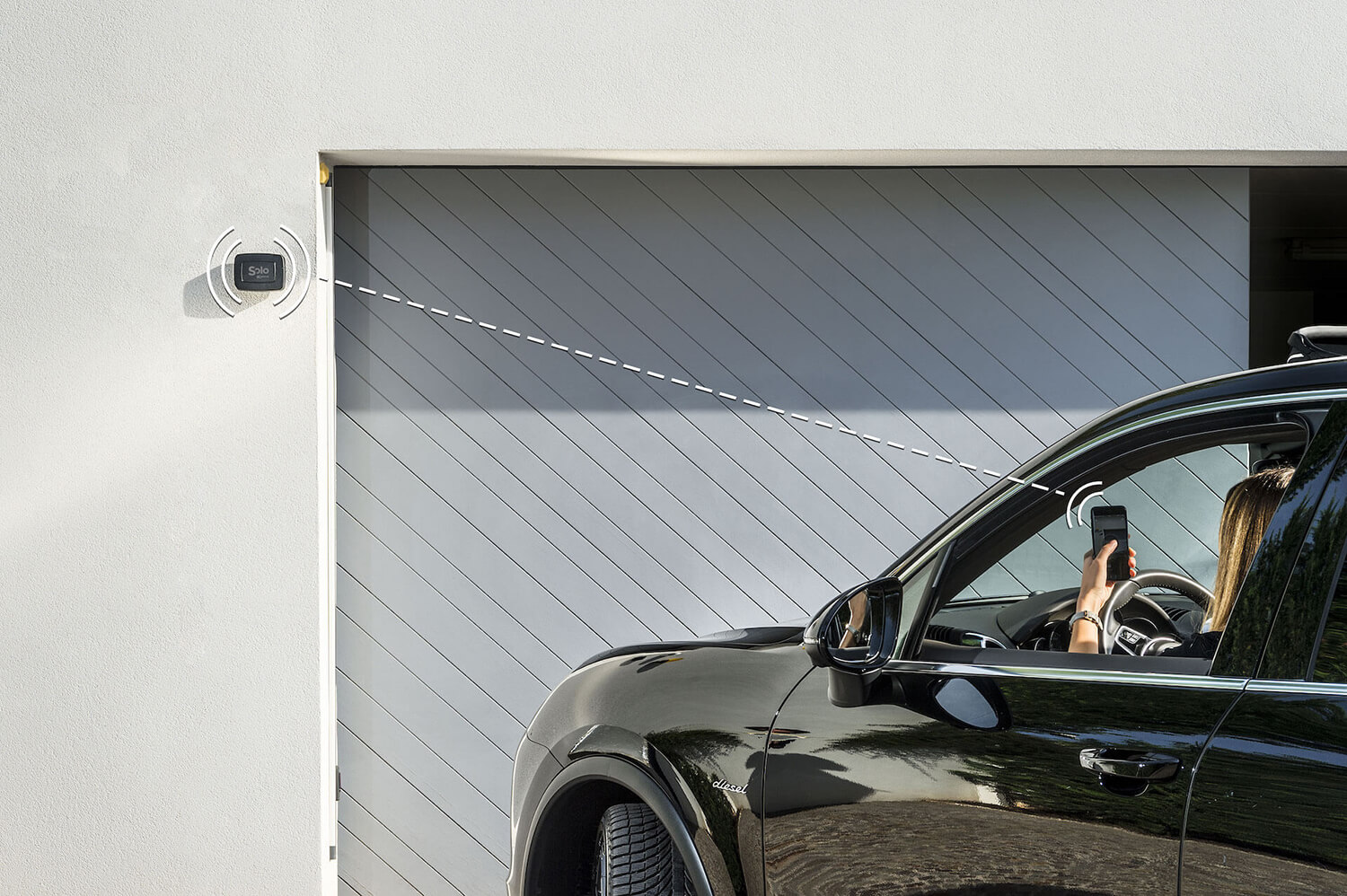
In short: smart home and home automation often get used as if they were the same thing. In this guide we draw the line like this: home automation is typically a designed, wired installation, usually part of a renovation; a smart home is modular — individual devices added to what already exists, with no building work. There are exceptions both ways (wireless automation systems, wired smart setups), but understanding the difference before you spend can save you time, money and weeks of works you never needed.
This guide unpacks what "home automation" really means, how it differs from a modular smart home, what each approach actually costs, and — most importantly — how to decide which one fits your situation. If your home is already lived in and you want to start from the access points (gate, front door, padlocks), the answer is almost always the modular smart home: with 1Control SOLO you make your gate smart in about fifteen minutes, with no electrician and no wires.
Smart home vs home automation: the answer in 30 seconds
The cleanest technical distinction is this:
- Home automation: a centralised installation that integrates lighting, heating, security, A/V and access through a single control system. It requires dedicated wiring (or a BUS protocol such as KNX), a control panel, a designer and an installer. You plan it at construction or major-renovation time.
- Smart home: a collection of independent devices (smart devices) that work on their own, with no fixed installation. You buy them one at a time, fit them yourself and control them from a smartphone or voice assistant. They require no building works.
In other words: home automation is a project, a smart home is a journey. The first is a single decision you make once; the second grows step by step on a home you already live in.
What is smart home automation?
Smart home automation is what happens when connected devices act on their own, following rules you set, instead of waiting for you to press a button. The heating drops when the last person leaves, the porch light switches on at sunset, your phone gets a notification when the garage has been left open. A smart home makes devices controllable from a phone or a voice assistant; automation makes them act by themselves. Most homes end up using a bit of both.
Home automation meaning, in one sentence
Home automation means using technology to control and schedule the functions of a house — lighting, heating, shading, security, access — either from one central system or from connected devices that follow rules. The older term domotics (from the Latin domus, house) means the same thing and is still common in continental Europe. Compared with a traditional home, where every function is a separate switch, key or remote, the difference is not the hardware so much as the control layer added on top of it.
How smart home automation works: trigger, condition, action
Every automation, from the simplest app routine to a professional KNX installation, follows the same three-part logic:
- Trigger — the event that starts it: a time of day, sunrise or sunset, a sensor (motion, door contact, temperature), a button, a voice command.
- Condition — an optional check: only on weekdays, only if nobody is home, only if the temperature is below 19 °C.
- Action — what the system does: switch a light, change the thermostat set-point, send a notification, arm the alarm.
What changes from one system to another is where the rule runs. In a wired installation it runs on the central controller inside your house. In a hub-based setup it runs on the hub. With app-based smart devices it often runs in the manufacturer's cloud — convenient, but it means the automation depends on your internet connection and on that service staying online.
What "home automation" really means: the wired installation
The term home automation — sometimes called domotics in continental Europe — describes a fully integrated system that controls every function of the house from one place. It is the technological evolution of the traditional electrical installation: instead of isolated switches you have devices networked together, dialoguing through a common bus.
How a traditional home-automation system actually works
A classic wired home-automation system is built from four parts:
- A control panel (gateway, home server) that acts as the brain.
- A communication bus — wired (KNX, LonWorks, Konnex) or wireless (Z-Wave, Zigbee) — that links every device to the panel.
- Actuators: the devices that physically execute commands (relays for lights, motors for blinds, valves for radiators).
- Sensors and user interfaces: thermostats, presence detectors, in-wall keypads, the control app.
The upside is full integration: a single scene can switch on the hallway lights, raise the living-room temperature and disarm the alarm at once. The downside is complexity: you need a design phase, a building site and a specialist who programs the scenes.
How much it costs and how long it takes
Home-automation budgets vary widely with the level of integration, the size of the home and the installer, so take these as orders of magnitude rather than quotes:
- Entry-level system (light and blind control across a few rooms): typically several thousand euros, fully installed.
- Mid-range system (lights + climate + security + access): usually well into five figures.
- High-end system (full integration with A/V, multi-room scenes, energy monitoring): considerably more, sometimes multiples of that.
Lead times range from one week of work on a pre-wired house to several weeks of building site on a property you have to rewire from scratch. It is a long-payback investment that makes sense only at specific points in a property's life.
When traditional home automation still makes sense
Wired home automation is the right call when at least one of these conditions is true:
- You are building a new house and you can route the bus cabling during first-fix wiring.
- You are running a major renovation that already includes a full rewire of the electrics.
- You want a fully integrated system and you are happy to invest several thousand euros up front.
- You accept the dependency on a specialist installer for every future change to the system.
If none of those is true, a modular smart home is almost always the more rational choice — and on access points in particular it is almost always the only sensible choice.
What a smart home is today: modular devices, no construction
The smart home in the modern sense is a bottom-up approach: instead of designing an integrated installation, you buy single smart devices that each do one specific thing well. A smart lock replaces the cylinder in your door. A Bluetooth box drives your gate by copying the signal from the existing remote. A connected bulb screws in where the old one used to live.
Each device is self-contained: it has its own app, its own batteries (or USB power), its own firmware. Integration, if you want it, arrives through voice assistants (Alexa, Google Home, Siri) or multi-protocol hubs. But it is not required to make the device useful.
Device-first: standalone with optional gateway
The best smart-home devices follow a device-first principle: they work locally, with no cloud dependency for the basic operations. The cloud is optional, never compulsory. That has three meaningful advantages:
- They work without internet. If your broadband drops, the door still opens. If the manufacturer shuts its servers, the device keeps doing its job.
- They are faster. The command travels directly from phone to device over Bluetooth, with no round-trip to a remote server in another country.
- They are friendlier to privacy. Who comes in and out stays on your phone and the device itself, not in a cloud database you can't see.
When you want remote control (opening the door from outside the home, integrating Alexa, viewing the access log), you add a hub. In the 1Control ecosystem that role belongs to LINK: a small bridge that puts Bluetooth devices on the internet when needed, while leaving them local by default. No forced cloud, no vendor lock-in.
1Control: gate and door smart in minutes, no wiring
The clearest example of the modular approach is ours: 1Control doesn't ask you to rewire anything. We work on the points you use every day, where the daily payoff arrives within the first week — the access points.
- Automatic gate: SOLO adds smartphone opening in about fifteen minutes, with no electrical work and without disturbing your existing remote (which keeps working as before).
- Front door: DORY replaces the existing Euro cylinder in about ten minutes. No drilling, no wiring, no changes to the door, frame or handle — and the mechanical key stays as a permanent backup.
- Padlocks, bikes, lockers: LOCO replaces a traditional padlock with a smart one, rechargeable via USB-C.
Three purchases, three devices, three points of the home suddenly easier to manage. With no building site, and with no project. If you are coming at it from the smart-lock side, our complete smart-lock buyer's guide goes deeper on cylinders, ecosystems and TCO.
A smart home, in 2026, means one precise thing: adding intelligence to a house you already live in, device by device, with no building site and no installer to rely on for future changes.
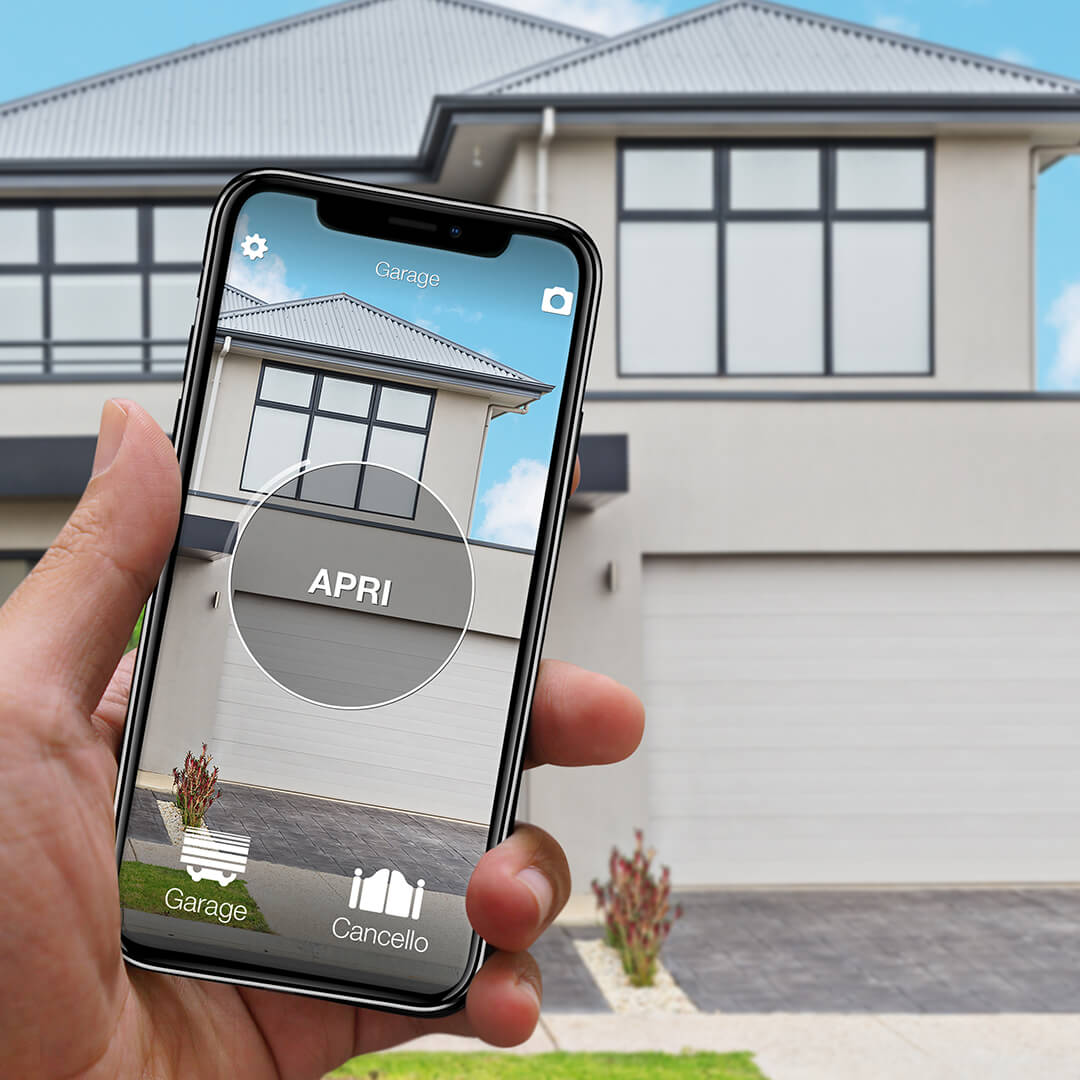
Want to open your gate from your phone?
Check in seconds whether your system is compatible with 1Control SOLO: it fits existing gates and garage doors, one-off purchase, no subscription.
139,00€ 119,00€ VAT included
- 1,500+ reviews on Amazon, Facebook and Trustpilot
- Secure payments
- 2-year warranty
Smart home vs home automation: side-by-side comparison
Eight criteria are enough to size up the decision honestly:
| Criterion | Traditional home automation | Modular smart home (1Control) |
|---|---|---|
| Up-front cost | From several thousand to tens of thousands of euros, installed | One-off purchase, starting from a single device |
| Installation | Building site, electrician, weeks of work | DIY, 10–30 minutes per device |
| Structural changes | Yes — first-fix wiring and chases | None |
| Scalability | Locked in at project stage | Add one device at a time |
| Works without internet | System-dependent (often partial) | Yes, fully local over Bluetooth |
| Vendor lock-in | Heavy (changing system = redoing the install) | Low (each device is independent) |
| Remote control and voice | Included, configured by the installer | Optional via LINK + Alexa / Google / CarPlay |
| Maintenance | Specialist technician on call | Battery swap or over-the-air firmware |
One number worth holding onto: on access points (gate plus front door), a 1Control setup typically costs 5–10% of what an equivalent wired home-automation install costs on the same scope. The interesting question, then, is no longer "smart home or home automation": it is "which one for which part of the house, and in which order".
Smart home scenes vs automations
The two words get mixed up in app menus, but they mean different things, and understanding the difference makes any smart home easier to set up:
| Scene | Automation | |
|---|---|---|
| What it is | A saved set of device states, applied in one go | A rule that runs by itself when its trigger fires |
| How it starts | You start it: a tap, a button, a voice command | Nobody starts it: a time, a sensor or an event does |
| Example | "Movie night": dim the lights, switch on the TV | At 7 a.m. on weekdays, raise the heating to 20 °C |
| Best for | Moments you choose | Repetitive routines that should not need you |
In practice the two work together: a bedtime automation at 11 p.m. can run the same "goodnight" scene you would otherwise start by voice.
One rule of thumb for access points: keep opening a gate or unlocking a door a deliberate action — a tap, a voice command, a button on the car display — rather than a fully automatic trigger. Many platforms ask for an extra confirmation before an automation unlocks a door or opens a garage, for exactly this reason. That is also how 1Control works: SOLO and DORY open when an authorised user asks them to, from the app, by voice through LINK, or from the car display with CarPlay or Android Auto. Our explainer on gate geofencing and auto-open on arrival covers why fully automatic opening is trickier than it looks.
Home control systems: app, hub or whole-home controller?
A smart home control system is whatever you use to command and coordinate your devices. Search for "home control system" and you will find three very different things under the same name.
1. One app per device (standalone smart devices)
Each device comes with its own app and works on its own. There is nothing to set up centrally and nothing to maintain beyond updates — but past four or five brands you end up juggling apps, accounts and notifications. Voice assistants (Alexa, Google Home, Siri) are the lightweight way to put a single front end on top; our list of Alexa commands for the home shows how far that goes.
2. A hub or smart home controller
A hub — Home Assistant, Homey, SmartThings, Hubitat and similar — speaks several protocols (Zigbee, Z-Wave, Wi-Fi, Thread/Matter) and runs automations across brands, often locally. It is the most flexible option and also the one that asks the most of you: someone in the house has to set it up, keep it updated and fix it when an integration breaks.
3. A whole-home automation system
A whole-home automation system is designed and wired by an integrator, typically on KNX or a proprietary bus, with in-wall keypads and a central controller. It is the most stable option day to day, because nothing depends on consumer apps, but every change goes through the installer.
| Standalone devices | Hub / controller | Whole-home wired system | |
|---|---|---|---|
| Setup | Minutes per device, DIY | Hours to days, DIY with technical interest | Designed and installed by a professional |
| Day-to-day reliability | Good per device; local devices keep working offline | Good if well maintained; the hub is a single point of failure | Very high, independent of consumer apps |
| Troubleshooting | One device at a time, manufacturer support | You are the support desk | The installer |
| Cross-brand automations | Limited (voice assistant routines) | Extensive | Extensive within the system |
| Best for | Getting started, rented homes, access points | Enthusiasts who enjoy tinkering | New builds and major renovations |
These approaches combine well. A common pattern is a hub or a wired system for lighting and climate, plus standalone devices on the access points that keep working locally even if the hub is down. If you already own some smart devices, you rarely need to replace them to add a central system: check whether each one exposes an integration (Matter, Alexa, Google Home or the hub's own) before you decide.
Which one fits you? Three real-world scenarios
The right answer depends on your home, your budget and how much patience you have for installers. Three profiles cover the vast majority of buyers.
Rented flat or existing home you don't want to drill
If you rent or you live in a home that is already finished, traditional home automation is off the table: you can't rewire the place — and even if you could, sinking thousands of euros into a property you don't own makes no financial sense. A modular smart home is built for this scenario. You swap the door cylinder for DORY (and when you move out you take it with you and refit the original), you add SOLO to the gate with zero electrical work, and you have an intelligent home that follows you. Every 1Control device is removable and reusable: there are no permanent modifications to undo. It also makes the conversation with a landlord simpler: installation is identical to a normal cylinder change.
New build or major renovation
If you are building from scratch, or you're inside a renovation that includes a full electrical rewire, it's worth costing wired home automation for lighting, climate, blinds and intrusion alarm. That is the moment when the cabling cost is marginal, and the benefits of an integrated system show up over decades of use. Even here, though, access points (gate and front door) usually stay outside the home-automation system, because they involve dedicated motors and locking mechanics. Combining wired automation indoors with standalone smart devices on the access points is the norm, not the exception — and you can still tie the lot together under one voice assistant via Alexa or Google Home.
You just want to start small (and not lock yourself in)
If you have no prior experience with the connected home and you want to find out what actually changes in daily life before you commit, start with a single device. The practical advice is to start either from the gate (no more digging for the remote, painless sharing with the family) or from the front door (walking in with shopping in both hands, giving the cleaner a time-limited access in the app instead of a copy of the key). If you want a wider primer before you choose, read our smart home without home automation guide and the smart gate opener guide.
How to compare home automation systems: 7 questions before you buy
Feature lists all look alike. These seven questions separate the systems that will still be working well in five years from the rest:
- What still works without internet? Ask specifically which functions run locally and which need the cloud.
- Is there a subscription for core features? Cloud video recording and professional monitoring are usually paid; basic control and automations often are not. Add every recurring fee to the purchase price to get the real total cost of ownership over five years.
- Which ecosystems does it work with? Alexa, Google Home, Apple Home, Matter: check the exact functions supported, not just the logo on the box.
- What is the manual fallback? A wall switch, a mechanical key, a physical remote. A smart home should never leave you stuck when a battery, a phone or a router fails.
- How is security handled? Encrypted communication, regular firmware updates and a clear access log. Who can open what, and when, matters more on doors and gates than anywhere else in the house — our home security guide goes deeper.
- Who maintains it? You, a tech-savvy family member, or an installer under contract. Be honest about this one.
- How does it grow? Can you add one device at a time, or does every extension mean a new project?
On the access points, 1Control's answers are short: Bluetooth control that works locally, a one-off purchase with no subscription, Alexa and Google Home through LINK, and the original remote or the mechanical key as a permanent fallback.
Home automation and motorisation: where the gate fits
Motorisation and automation are often sold together, but they are two different layers. Motorisation is the motor that physically moves a gate, a garage door or a barrier; automation is the control on top — who can trigger it, from where and when. If your gate or garage door is already motorised, you don't need a new motor to make it smart: you need a new way to send the command.
That is exactly where 1Control works. SOLO copies the signal of the existing remote, so the control board is left untouched. If your remote turns out not to be copyable, the SOLO KIT wires a receiver to the motor's command input and works with practically any automation — the one case where a few wires are needed. The compatibility check tells you which route applies before you buy, and our guide to a smart garage door opener without Wi-Fi covers the garage side.
What you can make smart with 1Control (and how quickly)
Let's get concrete. Here is what you can make smart today, with a single app, starting from the most critical points of the house.
Automatic gate → SOLO (~15 minutes, no cables)
1Control SOLO is a Bluetooth smart gate opener. You position it near the gate (or inside your car with the SOLO AUTO version) and it copies the signal of your existing remote: it is compatible with over 800 remote models, fixed-code and rolling-code. It doesn't wire into the gate control board, it doesn't connect to mains: two C-size (LR14) alkaline batteries, included in the box, last around two years in normal use.
The original remote keeps working — SOLO adds, it doesn't replace. For a deeper look at the alternatives (Bluetooth, Wi-Fi, hub-based), the smart gate opener guide and the open the gate with your phone walkthroughs cover the trade-offs.
Front door → DORY (~10 minutes, mechanical key backup)
1Control DORY is a smart lock for the Euro profile cylinder that fits almost every European front door, composite door and security door. Swapping the cylinder is the same operation you'd do to change your keys: one screw on the side, the old cylinder slides out, DORY slides in. No drilling, no wires.
Three things to weigh up, because few smart locks on the market offer them together:
- Mechanical key backup, always active. If the batteries run flat (or you've left your phone at the office), you open the door with the traditional key. You are never locked out — a deliberate design choice that takes the typical smart-lock failure mode off the table.
- About one year of battery life. Many motorised retrofit smart locks need new batteries every few months, because they physically turn the key on every cycle. DORY uses two CR2 lithium cells and lasts around a year in normal household use — the difference comes from the architecture, not the battery size.
- Silent operation. No motor hum, no audible click on unlock. It matters at 6 a.m. when the rest of the household is asleep.
For everything you might want to know about cylinder grades, ecosystem choices and five-year cost of ownership, read the full smart lock and keyless entry buyer's guide.
Remote access and voice → LINK (Wi-Fi ↔ Bluetooth bridge)
1Control LINK is the optional hub of the ecosystem. It connects to your home network over Wi-Fi (or Ethernet) and acts as a bridge between the internet and the Bluetooth devices — SOLO, DORY and LOCO. The important detail is that SOLO and DORY remain Bluetooth devices and continue to work locally; LINK adds remote control and voice integration on top, only when you need them.
With LINK plugged in, you can:
- Open the gate and the front door from anywhere with a data connection.
- Use Alexa ("Alexa, open the gate"), Google Home and Siri Shortcuts voice commands.
- Open from the car with Apple CarPlay or Android Auto.
- Add an opening sensor (Sensor SOLO or Sensor DORY) to see in the app whether the gate or door is open or closed, and get a notification when it opens or closes.
LINK is not compatible with Apple HomeKit or IFTTT. Compatibility with Home Assistant and Matter is in development, with no release date yet. Worth knowing if you have a strong preference for one ecosystem.
Bikes, lockers, sheds → LOCO (USB-C rechargeable)
For the "outside the home" points — bicycles, gym lockers, garden sheds, sports lockers — 1Control LOCO is a Bluetooth smart padlock with USB-C charging. Same app as the other devices, same user-sharing logic. One single charge covers around 500 unlocks, and the casing is weather-resistant from −20 °C to +50 °C.
If your needs sit on the universal-remote side rather than the smartphone side — you want a physical four-button fob that copies your existing remotes — look at 1Control WHY instead. The universal gate remote guide walks through the choice.
Frequently asked questions
Are smart home and home automation the same thing?
No. Home automation is an integrated installation that requires design, cabling and a specialist installer. Smart home is a collection of modular devices that work independently, with no fixed install, and that you control from your smartphone. Home automation is a construction-time decision; a smart home is a journey you can start today on a house you already live in.
How does 1Control's cost compare to a wired KNX system?
A traditional home-automation system typically costs several thousand euros fully installed, even for a small entry-level scope. With 1Control you can make your gate and front door smart with two one-off purchases (SOLO + DORY), plus LINK if you want remote control and voice. On access points specifically, that is a small fraction of an equivalent wired install on the same scope — with no installer and no building works.
Can I use 1Control if I already have a home-automation system?
Yes. 1Control devices are self-contained and they do not interfere with any existing home-automation system. Via LINK they integrate with Alexa or Google Home, so you can drop the gate-open and door-open commands inside scenes you've already configured in your wired system (for example a "leaving the house" scene that switches off the lights, lowers the blinds and opens the gate as you drive out).
Do I need an electrician to install SOLO or DORY?
No. SOLO mounts on a wall or post with a bracket and runs on batteries — there is nothing to wire in. DORY replaces the existing Euro cylinder with the same procedure you would follow to change your keys: one side screw, the old cylinder out, DORY in. The 1Control website has step-by-step videos for both, and most customers complete the install on a Saturday morning without help.
Does it work without internet?
Yes, locally over Bluetooth. SOLO, DORY and LOCO talk directly to the smartphone over Bluetooth Low Energy: no data connection is needed to open the gate or the door. Internet (and the LINK hub) only come into play if you want to open from outside the home, integrate Alexa, or view the access log in the cloud. If your router is down, the front door still opens normally.
What happens if DORY's batteries die?
You open with the traditional mechanical key, exactly as you would with a non-smart lock. DORY is designed precisely so it cannot lock you out: the cylinder keeps a mechanical section that works with flat batteries. The CR2 cells last around a year in normal use and the app warns you well in advance when it is time to change them.
What is smart home automation?
Smart home automation means connected devices acting on their own according to rules you set: a trigger (a time, a sensor, an event), an optional condition and an action. The porch light that switches on at sunset or the heating that drops when everyone leaves are typical examples. A smart home makes devices controllable from your phone or by voice; automation makes them act without you.
What is the difference between a scene and an automation?
A scene is a saved set of device states that you start yourself, with a tap or a voice command. An automation starts by itself when its trigger fires, such as a time of day or a sensor. The two work together: a bedtime automation can run the same "goodnight" scene you could start by voice.
Is home automation worth it?
It is worth it when it removes a daily friction: hunting for the gate remote, handing out keys, heating an empty house. It is rarely worth it as a showcase. Start with the one point of the house you use most, live with it for a few weeks, and extend only what actually earns its place.
Do I need a hub for a smart home?
No. Many devices work on their own over Wi-Fi or Bluetooth and can be grouped under a voice assistant. A hub becomes useful when you want automations across several brands or protocols such as Zigbee and Z-Wave. In the 1Control ecosystem SOLO, DORY and LOCO work locally over Bluetooth; LINK is optional and adds remote access and voice control.
The bottom line: hybrid is the future
Traditional home automation and modular smart home aren't really competitors: they answer different needs and they show up at different moments in a property's life. Home automation makes sense when you are building or running a major renovation and you want a fully integrated system. Modular smart home makes sense in every other case — and in most homes that's where we live.
If your house is already lived in and you want to start from the points you actually use every day, start from the access points. The gate and the front door are the fastest way to find out what really changes in daily life. Made in Italy, patented, gateway-free by default, with one unified app for the whole ecosystem: that is our take on a smart home — no building works required.